
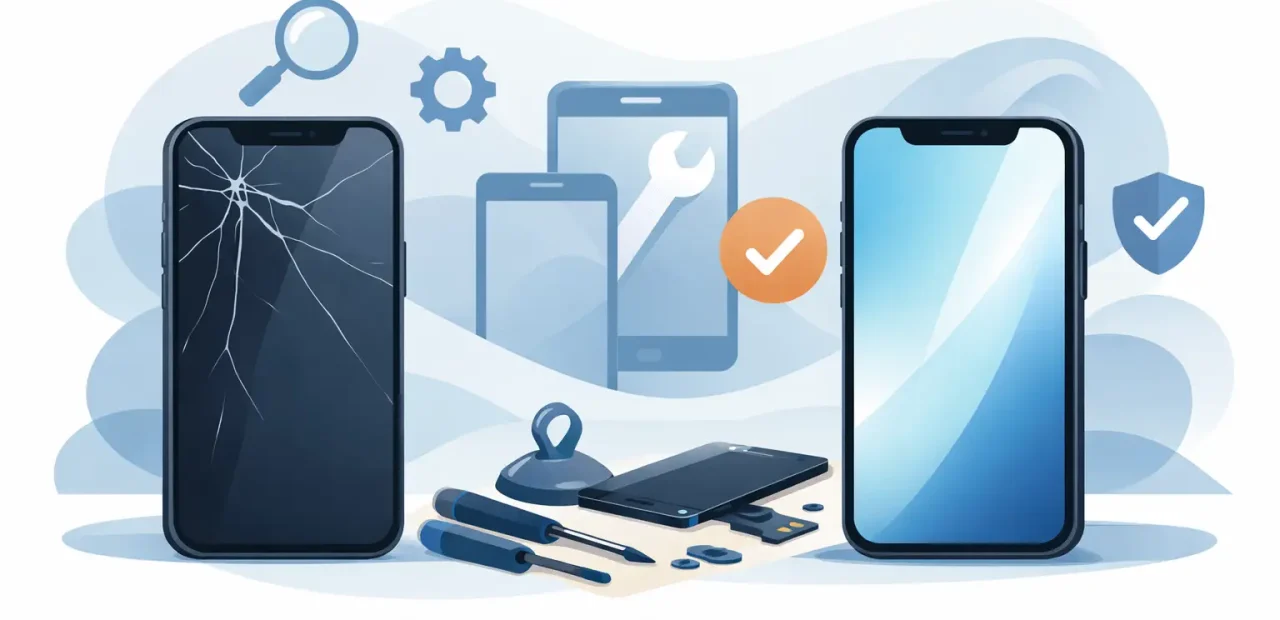
A cracked iPhone screen is more than an annoying cosmetic problem when you rely on your phone for class, work, directions, messages, and payments. If you need to replace iPhone screen glass, the right move depends on what is actually damaged, how your phone is behaving, and how quickly you need it back. For most people, a professional screen repair is the practical way to get a dependable phone back in hand without paying to replace the whole device.
When Should You Replace iPhone Screen?
A visible crack is the obvious sign, but it is not the only reason to replace an iPhone screen. Some cracked displays still look and work normally at first. Others develop dark spots, flickering, lines, dead areas, or touch problems shortly after the impact. Waiting can turn a simple repair into a bigger interruption, especially if the damage spreads across the display.
Screen replacement makes sense when the glass is broken, the image beneath it is distorted, or touch input is unreliable. If your iPhone has a black display but still makes sounds, vibrates, or receives calls, the screen may be the problem rather than the phone itself. A quick in-person diagnosis can confirm the issue before any work begins.
Small cracks can also become a daily hassle. They catch on fingers, make typing uncomfortable, and make the phone harder to use in bright light. If you have to press harder than usual, swipe repeatedly, or work around a dead section of the display, it is time to stop fighting your phone and get it repaired.
What a Professional iPhone Screen Replacement Fixes
An iPhone screen is not just the outer glass. It is an assembly that includes the display and touch-sensitive layers underneath. On many newer models, damage to one layer can affect the others. That is why a repair that looks simple from the outside still needs careful handling.
A quality screen replacement can restore a clear display, responsive touch controls, and comfortable everyday use. It also gives a technician the chance to inspect the phone for related issues from the same drop, such as a bent frame, loose component, camera concern, or button that no longer responds correctly.
Not every issue calls for a screen replacement. If the display looks normal but your battery drains quickly, the charging port is inconsistent, or a camera fails to focus, those are separate repairs. A trustworthy repair shop will explain what needs to be fixed and what does not, rather than treating every problem as a screen problem.
Glass-only damage versus display damage
If only the top glass is cracked and the picture and touch functions are perfect, you may be tempted to ignore it. That can be reasonable for a short time if the cracks are minor and you can still use the phone comfortably. But the damaged surface is more likely to worsen after another bump or drop.
When the display shows colored lines, ink-like blotches, flashing, dim patches, or no image at all, the damage goes beyond the outer glass. A full screen assembly replacement is usually needed. Touch issues matter just as much. A phone that randomly opens apps, misses taps, or will not recognize a passcode reliably is not something to put off.
What Affects the Cost to Replace an iPhone Screen?
The iPhone model is the biggest factor. Newer phones and models with advanced OLED displays typically cost more to repair than older devices with LCD screens. Screen size, display technology, and the availability of quality replacement parts all affect the final price.
The condition of the frame matters, too. A severely bent frame can prevent a new screen from sitting correctly, which affects both the appearance and long-term performance of the repair. Additional damage from the same drop may also need attention, but it should be discussed clearly before any repair begins.
Low prices can sound appealing, especially when a broken screen was not in the budget. Still, the cheapest option is not always the best value. Poor-quality screens may look dim, have weaker color, respond slowly to touch, or fail sooner than expected. Ask what type of part will be used, whether the technician tests the display before returning the phone, and whether the repair is backed by a satisfaction guarantee.
Repair is often far more affordable than buying another iPhone. That is particularly true when your current device otherwise works well, has enough storage, and still handles the apps you use every day. Replacing a screen can extend the useful life of a phone you already know and trust.
Why Fast, In-Person Repair Matters
Mail-in repair can leave you without your phone for days. That may not work when you need two-factor login codes, school apps, ride requests, work calls, or your digital wallet. For a straightforward cracked screen, walk-in service offers a much easier option.
At Fort Worth iPhone Repairs, many cracked screens can be fixed in as little as 15 minutes while you wait. That kind of turnaround is especially helpful for TCU students between classes, professionals on a lunch break, and parents trying to keep the day moving. The exact time depends on your iPhone model and the condition of the device, but the goal is simple: get you back to a working phone without a long delay.
Visible, front-of-customer service also takes some of the mystery out of the process. You can ask questions, understand what is being replaced, and know what to expect before the repair starts. A good technician should be direct about timing, parts, pricing, and any issue that could affect the result.
Should You Try to Replace an iPhone Screen Yourself?
A do-it-yourself kit may seem like a money-saving solution, but iPhone screen repair is more delicate than it appears. The phone contains tiny screws, fragile connectors, adhesive seals, and components that are easy to damage if the repair is rushed or done with the wrong tools. A small mistake can turn a cracked screen into a more expensive repair.
DIY repair may make sense for someone with the right tools, steady hands, and experience working with small electronics. For most people, the time, risk, and uncertainty outweigh the savings. If your phone is essential for your daily routine, professional repair is usually the safer and faster choice.
There is also the matter of quality control. A professional repair includes testing the screen for brightness, touch response, display clarity, and proper fit before you leave. That testing matters because a screen can appear fine at first glance while still having weak touch performance or display defects.
How to Prepare Before Screen Repair
You do not need to do much before bringing in a cracked iPhone, but a few quick steps can make the visit easier. Back up your iPhone if you can access it, either through iCloud or a computer. This protects your photos, messages, and important files in the unlikely event another issue is discovered.
If possible, know your passcode and make sure you can access your Apple ID afterward. Technicians generally do not need your passcode for every repair, but being available to test the phone with them makes the handoff quicker. Remove a bulky case if it is badly damaged or difficult to take off, and bring the phone in as soon as you can if the display is becoming harder to use.
After the repair, test your phone before you leave. Check that the display looks clear from edge to edge, touch works across the whole screen, and the front camera, speaker, and buttons respond normally. A reputable local shop wants you to leave confident that your phone is ready for real life again.
A broken screen does not have to derail your week. Get a clear diagnosis, choose quality parts, and use a repair team that respects your time. The best screen repair is the one that gets your iPhone back in your pocket quickly and working the way it should.