
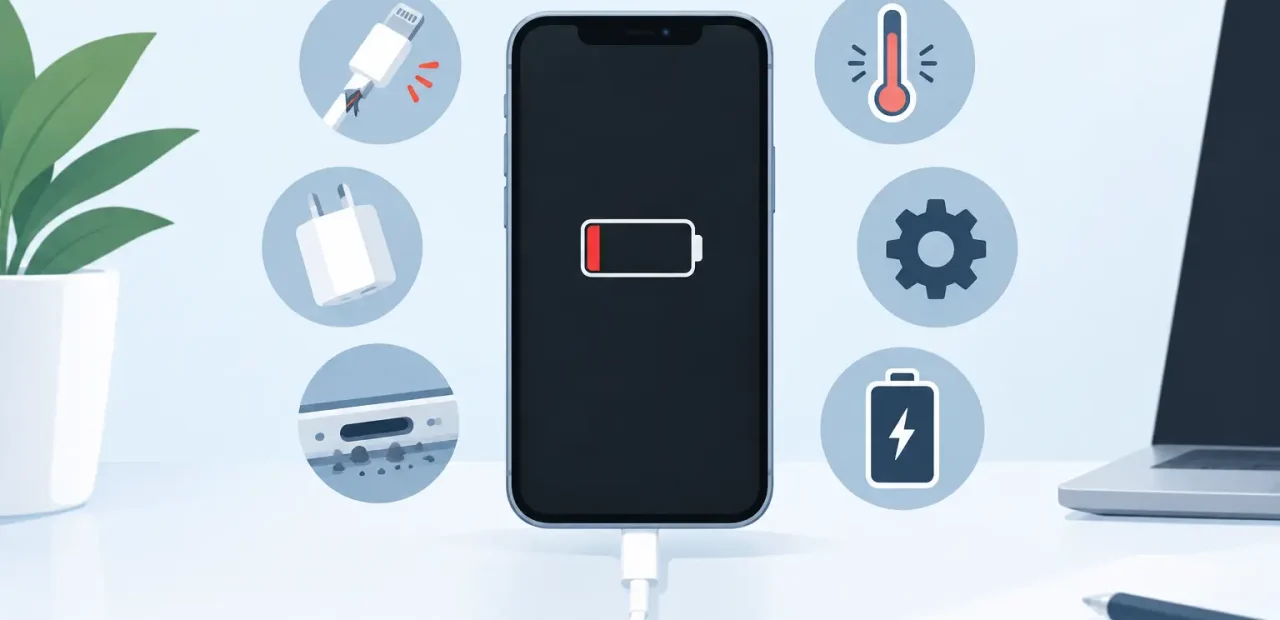
Your iPhone is at 3 percent, you plug it in, and nothing happens. That is the kind of problem that can derail a class day, work shift, ride home, or family plan in minutes. The top reasons iPhones stop charging range from simple cable issues to worn internal parts, but the symptoms can look nearly identical at first.
The good news is that not every charging problem means you need a new phone. A quick, careful check can rule out the easy stuff. If the problem keeps happening, a professional diagnosis can usually identify the real cause without wasting money on parts you do not need.
Top reasons iPhones stop charging
A worn, damaged, or incompatible charging cable
Charging cables take a beating. They get bent near the connector, pulled from the wall, stuffed into backpacks, and borrowed by everyone in the house. Internal damage is not always visible, so a cable may look fine while charging only at a certain angle or cutting in and out.
Try a known-good Apple-certified cable before assuming the iPhone itself is the problem. Also test it with a different power adapter. Low-quality or damaged accessories can deliver inconsistent power, and some may trigger an unsupported accessory message. If another cable and adapter work normally, replacing those accessories is the easy fix.
Debris packed into the charging port
Pocket lint is one of the most common causes of an iPhone that will not charge correctly. Over time, compacted debris collects at the bottom of the charging port. The connector may still slide in, but it cannot seat fully enough to make a reliable connection.
A common clue is a cable that feels loose, falls out easily, or only works when held in one specific position. Do not force the cable or use anything sharp inside the port. That can bend delicate contacts and turn a cleanout into a larger repair. A technician can inspect and safely clean the port, then confirm whether the issue was simply debris or a damaged connector.
A failing charging port
If the port has been repeatedly pulled, twisted, or used with damaged cables, its internal contacts can wear down or break. The phone may charge slowly, charge intermittently, or fail to recognize a cable altogether. It might also connect to a computer only occasionally.
Port issues can be frustrating because they often start small. Your iPhone charges if the cable is angled just right, then eventually stops responding to cables altogether. Cleaning will not fix worn contacts or a loose port connection. In that case, charging port repair is usually the most practical solution.
Battery wear or battery failure
Every rechargeable battery loses capacity with age and use. At first, you may notice that the battery drains faster than it used to. Later, the phone may shut down unexpectedly, struggle to turn on, or refuse to take a charge consistently.
Check Settings, then Battery, then Battery Health & Charging. A low maximum capacity or a service message is a strong sign that the battery deserves attention. Still, battery health alone does not prove it is the only issue. An iPhone with a healthy-looking battery can have a cable, port, or charging circuit problem, so it pays to diagnose before replacing anything.
Battery replacement is often a smart alternative to replacing an otherwise reliable iPhone. The best choice depends on the model, its overall condition, and whether you are also dealing with screen, camera, or button problems.
A power adapter or outlet problem
The iPhone gets blamed for plenty of charging failures caused by the power source. An adapter can fail internally, and an outlet, extension cord, or power strip may not be supplying dependable power. If the phone will not charge from a wall outlet, test a different outlet and a different adapter before moving on to more expensive possibilities.
Avoid treating your car charger, an old power bank, or a loose USB port as the final test. Those sources can be underpowered or inconsistent. Use a reliable wall adapter and cable for the clearest answer.
Software glitches and charging settings
Software does not usually cause a completely dead charging connection, but it can create confusing behavior. A frozen screen may make a working iPhone appear unresponsive. Background activity can also use power faster than a weak charger replaces it, especially while streaming, gaming, navigating, or using video calls.
Start by restarting the iPhone. Then install any available iOS update when the phone has enough power to do so. You can also leave it connected to a reliable charger for 20 to 30 minutes without using it. If the battery icon appears but the percentage barely moves, the issue may be weak power delivery, battery wear, or an internal fault rather than software alone.
Optimized Battery Charging can also make the charging pattern look unusual. This feature may pause around 80 percent until it predicts you will need a full charge. That is normal behavior, not necessarily a failure. It is different from an iPhone that cannot charge at all or repeatedly disconnects.
Heat can pause charging
An iPhone may temporarily slow or pause charging when it gets too warm. Heavy use while charging, direct sun, thick cases, and hot vehicles can all contribute. The phone is protecting its battery, not ignoring the charger.
Remove the case if it feels unusually warm, stop demanding apps, and let the device return to a normal temperature before charging again. Do not put it in a freezer or try extreme cooling methods. If heat warnings happen often during ordinary use, a technician should check the battery and charging system.
Damage to internal charging components
When a good cable, adapter, and clean port do not solve the problem, the issue may be inside the iPhone. Internal components that manage power can fail after impact, normal wear, or an electrical event. Symptoms may include no charging response, rapid battery drain, charging that starts and stops, or a phone that only works with certain accessories.
This is not a repair to guess at from home. Replacing a battery when the real issue is the charging port or internal circuitry can leave you with the same problem and a bigger bill. A hands-on diagnostic helps pinpoint the failed part first.
What to try before bringing in your iPhone
There are a few safe checks worth making before you seek repair. Test the phone with another certified cable, adapter, and wall outlet. Restart the iPhone. Look into the charging port under good light for obvious lint, but do not poke or scrape inside it. If it is warm, let it cool naturally and try again.
Pay attention to the pattern. Does it charge wirelessly but not by cable? Does the cable wiggle? Does it turn on only after several minutes connected to power? Those details help narrow the issue quickly. They can also save time when you bring the phone in.
If your iPhone is not charging, back up your information as soon as it has enough power. A charging problem can worsen without much warning, and a current backup protects your photos, messages, school files, and contacts.
When fast iPhone repair makes sense
Bring your phone in when it will not charge with multiple reliable accessories, when the port feels loose, or when the issue returns after basic checks. You should also get help if the phone gets unusually hot, shuts down at a high battery percentage, or needs constant cable repositioning.
For people near TCU and across Fort Worth, Fort Worth iPhone Repairs can inspect the charging issue, explain what is wrong in plain language, and recommend the repair that makes sense. Many common problems can be handled quickly, often while you wait.
A phone that will not charge does not have to take over your week. Start with the simple tests, skip risky DIY fixes, and get a clear diagnosis if the problem does not go away.