
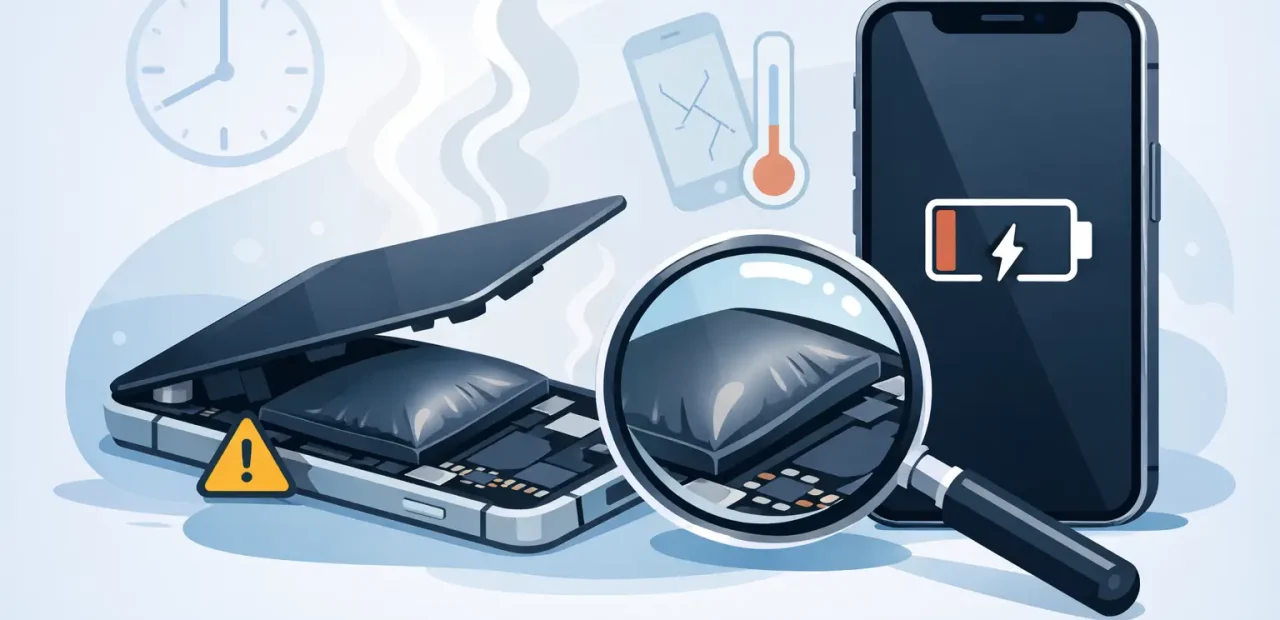
A screen that suddenly lifts at one edge, a case that no longer sits flat, or a phone that rocks on a table is not a cosmetic issue. If you are wondering when to replace a swollen iPhone battery, the answer is simple: replace it as soon as you notice swelling. Stop using the phone, do not try to press it back together, and have a qualified iPhone technician inspect it.
A swollen battery can put pressure on the display, frame, cables, and other components inside your iPhone. Waiting may turn a straightforward battery repair into a more expensive screen or housing repair. Fast action protects your phone and gets you back to calls, classes, maps, work, and everything else that depends on it.
When should you replace a swollen iPhone battery?
Immediately. A battery that has expanded is no longer behaving normally, even if your iPhone still turns on and seems to hold a charge. Swelling means the battery has physically changed shape. It will not fix itself with a restart, software update, new charging cable, or battery calibration.
You do not need to wait for the battery percentage to become inaccurate or for your phone to stop working. In fact, replacing it before more damage occurs is usually the better, more affordable choice. The goal is to remove the failing battery safely and check whether its expansion has affected the display, frame, connectors, or charging system.
If the swelling is obvious, avoid charging the phone again unless a technician specifically tells you otherwise. If you need to preserve access to essential information, ask a repair professional about the safest next step rather than continuing to use a phone that is pushing itself apart.
Signs your iPhone battery is swollen
The most common sign is a screen that separates from the frame. It may look like there is a small gap along one side, near the bottom, or around the corners. Your display can still work perfectly at first, so do not assume it is only a loose screen.
You may also notice that the back of the iPhone looks uneven, the device will not lie flat, or a protective case suddenly feels too tight. On some models, the buttons may feel different because the frame is under pressure. A screen that begins lifting after the phone has been sitting unused is another reason to have it checked right away.
Battery performance symptoms can appear before or alongside physical swelling. Your iPhone may shut down with charge remaining, lose power unusually fast, run warm during normal use, or take longer to charge. Those symptoms alone do not prove swelling, but they are a good reason to get a battery health check, especially if the phone is a few years old.
A lifted screen is not something to glue down
It is tempting to push the display into place, add adhesive, or tighten a case around the phone. Do not. Pressure can damage the display and internal parts, while adhesive only hides the warning sign. The battery needs to be evaluated and replaced, not compressed.
What causes an iPhone battery to swell?
iPhone batteries age with every charge cycle. Over time, the materials inside the battery can break down and produce gases that cause expansion. Heat, heavy use, frequent charging, and a battery that is simply near the end of its service life can all contribute.
Sometimes swelling happens gradually. Other times, it seems to appear overnight because the display finally has enough pressure behind it to lift. Either way, it is not a normal part of owning an older iPhone, and it is not a problem to ignore because the phone still works.
There is no useful home fix for a swollen battery. Freezing the phone, draining it to zero, running battery apps, or changing charger settings will not reverse the expansion. The practical solution is professional battery replacement with the right tools and careful handling.
What to do before you bring your iPhone in
Handle the phone gently. Turn it off if you can do so without forcing buttons or pressing on a raised screen. Remove any tight case slowly. Keep the iPhone on a stable, nonflammable surface away from direct heat, and keep it where it will not be crushed, bent, or handled unnecessarily.
Do not puncture the battery, open the phone yourself, or attempt to flatten the display. Avoid charging it and do not leave it in a hot car. If the phone is becoming unusually hot, has a strong chemical odor, makes hissing sounds, or emits smoke, move away from it and contact local emergency services.
If the device is still usable and you can back it up without charging or putting extra stress on it, that can be helpful. But your priority is safety, not getting one more day of use from the battery. Most people depend on their iPhone too much to take chances with a problem that can quickly worsen.
Can a swollen battery damage the rest of your iPhone?
Yes, and that is why timing matters. As the battery expands, it can push against the display from below. The screen may crack, develop touch problems, show bright spots, or separate further from the frame. Pressure can also affect cables and internal connections.
The final repair cost depends on how long the battery has been swollen and whether other parts were damaged. If you bring it in soon after noticing a lifted screen or uneven shape, a battery replacement may be all that is needed. If the display has already been stressed or cracked, the repair may require more than one part.
A good technician should inspect the phone before starting, explain what they see, and tell you whether the screen and frame remain in good condition. You should know what is being repaired and why before work begins.
Is battery replacement worth it on an older iPhone?
Often, yes. If your iPhone still meets your needs and the screen, cameras, buttons, and charging port are in good shape, replacing the battery can be far less expensive than buying another phone. It can restore dependable daily performance and keep a familiar device in service.
It depends on the model and the phone’s overall condition. An older iPhone with multiple serious issues may not be the best candidate for repair. But a single swollen battery in an otherwise dependable phone is usually a clear reason to repair it promptly, not a reason to panic-buy a replacement.
For TCU students, busy parents, and anyone who needs their phone for work or transportation, turnaround matters too. A local walk-in iPhone repair shop can inspect the issue, explain the price clearly, and often complete an eligible battery repair the same day. Fort Worth iPhone Repairs focuses on fast, straightforward iPhone service, so you can get answers without being without your phone for days.
Choosing a repair shop for a swollen battery
Ask whether the shop works specifically on iPhones, uses high-quality replacement parts, and checks the device for pressure-related damage before returning it. Speed is valuable, but careful removal and reassembly matter just as much. A technician should never treat a swollen battery as a routine cosmetic issue.
Look for a clear estimate and a willingness to show you what is happening with your device. You should not have to guess whether the screen gap is from a loose display or an expanding battery. The right repair experience is direct: diagnose the problem, explain the options, complete the repair carefully, and make sure your iPhone is functioning properly before you leave.
A swollen iPhone battery is one of those problems that rewards quick action. Put the phone down, avoid charging or pressing on it, and get it inspected. Taking care of it now can save your screen, protect your phone, and make the rest of your day a lot less complicated.