
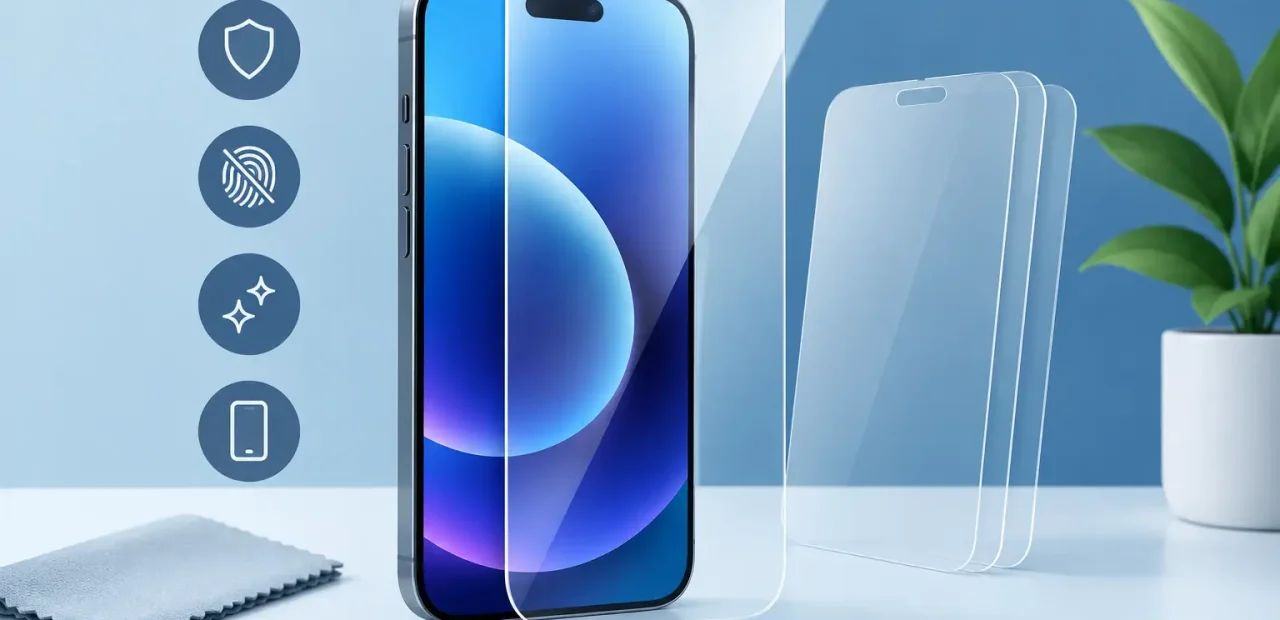
A screen protector is cheap insurance for the part of your iPhone you use every few seconds. The best iPhone screen protectors do not make your display look dull, interfere with Face ID, or leave you fighting bubbles for 20 minutes. They add a sacrificial layer that takes scratches and minor impacts before your actual screen does.
That said, no protector makes an iPhone indestructible. A hard fall onto concrete, an exposed screen edge, or a poorly fitted case can still lead to a crack. The goal is simple: choose a protector that fits your iPhone exactly, feels good every day, and works with the way you carry and use your phone.
What Makes the Best iPhone Screen Protectors?
For most people, tempered glass is the clear choice. It feels close to the original screen, keeps text and video sharp, and offers better impact resistance than thin plastic film. A quality glass protector should also have an oleophobic coating, which helps fingerprints wipe away instead of building up across the display.
Fit matters as much as material. iPhones with a notch, Dynamic Island, curved screen edges, or very narrow bezels need a protector made for that exact model. An iPhone 15 protector is not automatically right for an iPhone 15 Pro, and a protector that is only slightly off can cover sensors, lift at the edges, or leave part of the glass exposed.
The best option also needs to work with your case. Some protectors extend nearly to the edge of the display. They look great without a case, but a tight case can push against the protector and cause it to peel. If you use a protective case every day, look for a case-friendly tempered glass protector with a small amount of clearance around the perimeter.
Tempered Glass Is Best for Most iPhone Owners
Tempered glass protectors are the practical everyday pick for students, commuters, parents, and anyone who keeps an iPhone in a pocket, bag, or cup holder. They are thicker than film protectors, but most quality versions are still slim enough that you will barely notice them after a day or two.
The main advantage is the feel. Swiping, typing, gaming, and scrolling feel natural because glass is smooth and rigid. It also protects well against common scratch risks such as keys, coins, grit, and desk surfaces. When a tempered glass protector takes a hit, it may crack while the original iPhone screen stays intact. That is frustrating, but replacing a protector is far easier and less expensive than replacing the display itself.
Look for tempered glass with clear installation instructions and an alignment tray. The tray is more than a convenience. It helps center the protector over the front camera area and prevents the slightly crooked placement that can bother you every time you look at your phone.
Privacy Protectors Are Useful, With One Trade-Off
A privacy screen protector narrows the viewing angle so people beside you see a darkened display instead of your messages, banking app, or class notes. It can be a smart choice if you regularly work in coffee shops, ride public transit, or answer emails in crowded spaces.
The trade-off is brightness and clarity. Privacy filters can make the screen look dimmer when viewed straight on, especially outdoors. You may find yourself increasing screen brightness more often, which can affect battery life. The viewing angle may also be less forgiving when showing a photo or video to a friend.
Choose privacy glass when keeping your screen private matters more than having the brightest possible display. For most people who primarily want crack and scratch protection, clear tempered glass is the better everyday choice.
Matte Protectors Help With Glare and Fingerprints
Matte screen protectors reduce reflections and make fingerprints less noticeable. They are popular with people who read, take notes, or use their phones outside frequently. The surface has a little more texture, which some people like for typing and others find slightly less slick than bare glass.
The compromise is display sharpness. Matte finishes can soften fine text and make photos look less vivid. On a high-resolution iPhone screen, the difference is not always dramatic, but it is noticeable if you care about video quality, photo editing, or a crisp, glossy look.
Matte protectors make sense for heavy readers and users who hate glare. If your iPhone is also your main camera gallery, streaming screen, and social media device, clear tempered glass usually gives you a better viewing experience.
Do You Need Camera Lens Protectors Too?
Camera lens protectors are separate accessories that cover the rear camera lenses. They can help guard against small scratches, but they are not always necessary. A raised case lip around the camera bump often provides enough everyday protection when you set the phone down.
Poorly made lens covers can create glare, affect flash photos, collect dust around the edges, or make the camera area look bulky. If you use one, choose a version made specifically for your iPhone model and check your photos in bright light after installation. Remove it if you notice haze, reflections, or reduced image quality.
How to Install a Screen Protector Without Bubbles
Even the best protector can look bad if dust gets trapped underneath it. Install it on a clean, flat surface with good lighting. Turn off fans nearby and give yourself a few uninterrupted minutes. The biggest installation mistake is rushing.
First, wash and dry your hands. Clean the display with the included wipe, then use a microfiber cloth to remove streaks. Before removing the protector backing, inspect the screen from several angles for tiny lint specks. A dust-removal sticker can lift the stubborn particles that a cloth misses.
Use the alignment frame if one is included. Lower the protector slowly, starting from one edge or the center according to the package instructions. Once it touches down, let the adhesive spread on its own. You can use a card wrapped in microfiber to guide out small air bubbles, but do not press aggressively near the edges.
A few tiny bubbles often disappear within a day. A speck of dust, however, will not disappear. If dust is trapped in the middle of the screen, it is usually better to carefully remove the protector and start with a fresh one than live with a distracting spot.
When to Replace Your iPhone Screen Protector
Replace a protector when it has a crack, chipped corner, deep scratch, or lifting edge. A cracked protector has already done part of its job, but it no longer provides the same even coverage. Sharp chips can also catch on your finger and become worse quickly.
Replace it if the coating has worn down, too. If fingerprints smear constantly and the screen no longer wipes clean, the surface treatment may be gone. This is especially common on inexpensive protectors after months of heavy use.
Do not assume a cracked top layer means the actual display is fine. Remove the damaged protector carefully and inspect the iPhone screen underneath in bright light. If you see cracks, black spots, flickering, touch issues, or lines in the display, get it checked promptly. Fort Worth iPhone Repairs can inspect a damaged screen and help you get back to a phone that works the way it should.
The Best Choice Depends on How You Use Your Phone
For most iPhone owners, a clear, case-friendly tempered glass protector is the best balance of protection, touch feel, and display clarity. Choose privacy glass if you use sensitive apps around other people. Choose matte if glare and fingerprints bother you more than a slightly softer-looking screen.
Buy for your exact iPhone model, use the alignment tray, and pair the protector with a case that has a raised front edge. A few minutes spent fitting the right protector can save you from turning a simple drop into a screen repair you never planned for.