
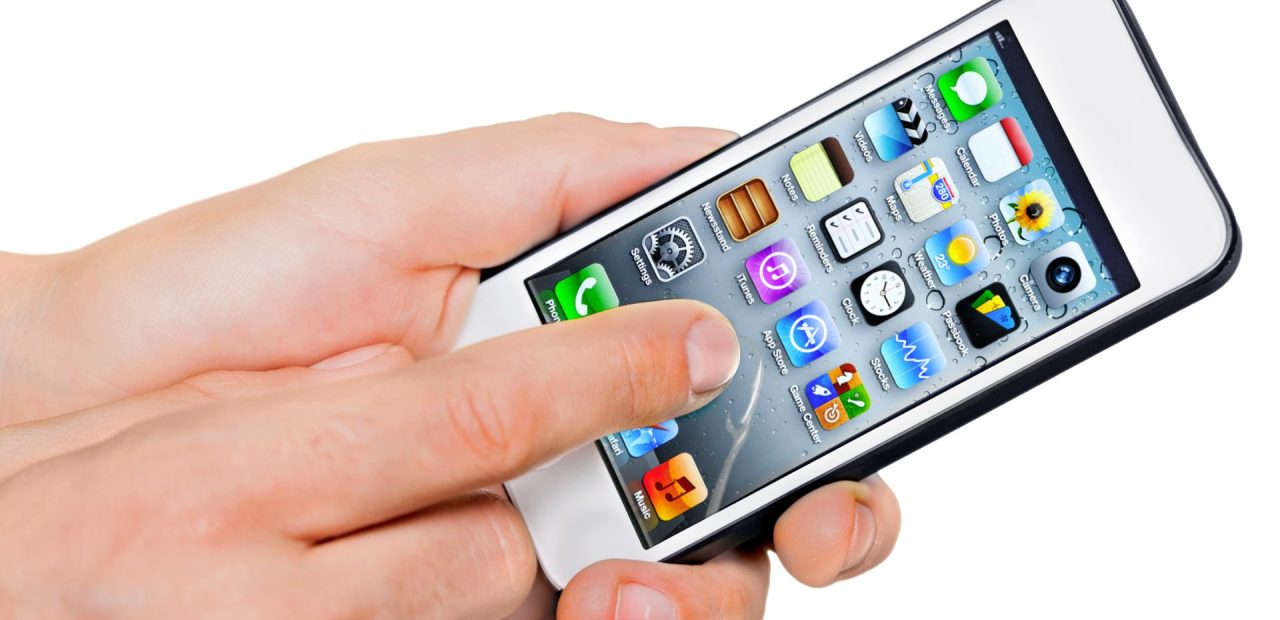
Your iPhone starts tapping on things you never touched. Apps open on their own. The screen scrolls by itself. It feels like your phone is haunted, and honestly, dealing with ghost touch is one of the most frustrating experiences an iPhone user can go through.
The good news? You do not always need to replace your screen to fix it. Before you panic or start shopping for a new iPhone, there are several practical ways to fix ghost touch on your iPhone that are worth trying first.
What Is iPhone Ghost Touch and Why Does It Happen?
Ghost touch is when your iPhone registers taps, swipes, or other inputs that you did not make.
The screen behaves erratically, opening apps, typing on its own, or responding to phantom touches that do not exist.
This is not just a quirk. It is a real touch problem that affects multiple iPhone models, including the iPhone X, iPhone XS, iPhone XR, iPhone 12, iPhone 6, and even the iPhone 14. Apple Inc. acknowledged ghost touch issues on certain iPhones and released targeted software fixes for some models.
What Can Cause Ghost Touch?
Understanding what can cause ghost touch helps you target the right fix. The most common culprits include:
- A damaged or low-quality screen protector that interferes with touch sensitivity
- Software glitches or a corrupted iOS installation
- Physical damage, such as a cracked screen or impact to the digitizer
- Overheating of the device or a failing battery
- Loose internal connections or motherboard-level hardware issues
- Moisture or debris under the screen after exposure to liquid
The digitizer is the part of your screen that translates physical touch into digital signals. When it fails, the touchscreen starts reading inputs that were never made.
Ways to Fix iPhone Ghost Touch at Home
Before heading to a repair shop, run through these troubleshooting steps. Many ghost touch issues are software-related and can be resolved without touching a single screw.
Remove Your Screen Protector
This is the first thing to check. A poorly fitted or cracked screen protector can create pressure points on the glass that the sensor misreads as touches. Peel off the protector and use the phone bare for a few minutes to see if the issue persists.
If the ghost touch stops immediately after removing the protector, your fix is as simple as replacing the screen protector with a better-fitting one.
Clean the Screen
Dirt, oil, or moisture on the screen can interfere with touch sensitivity and cause the touch screen to register false inputs. Wipe down the screen with a dry, lint-free cloth and try again.
Restart Your iPhone
A simple restart can clear temporary software bugs that cause the touch screen to behave oddly. Press and hold the side button (and volume button on newer iPhones) to power off, then turn it back on. It sounds basic, but a restart fixes more issues than most people expect.
Check Your Accessibility Settings
Some users accidentally activate touch features that change how the iPhone responds to input.
Go to Settings, then Accessibility, and review the options listed under Touch. Make sure Touch Accommodations is turned off unless you intentionally use it.
Touch Accommodations can change how long you need to touch the screen before it registers a tap, and it can also be set to register a long tap as a short one. These settings affect touch duration and tap haptic touch behavior in ways that can look a lot like ghost touch.
Run a Software Update
Outdated iOS versions can carry bugs that cause erratic touch behavior. Open Settings, go to General, then Software Update, and install the latest version available. Apple has released iOS updates specifically targeting ghost touch issues on certain iPhones, so keeping iOS current matters.
Whether you are running iOS 13, iOS 14, iOS 16, or iOS 18, staying updated helps close known software vulnerabilities that cause ghost touch problems.
Reset All Settings
If a software update does not help, try a reset of your settings. Go to Settings, General, Transfer or Reset iPhone, and choose Reset All Settings. This will not delete your data or apps, but it will restore all system preferences to default, which can resolve deeper software conflicts causing touch issues.
This is different from a factory reset. A factory reset wipes everything on the device. Try Reset All Settings first.
Restore Your iPhone via iCloud or iTunes
If ghost touch issues continue after the previous steps, a full factory reset may be necessary.
Back up your data to iCloud before doing this. A clean restore can eliminate any software bug that survived a simple reset.
After restoring, set the iPhone up as a new device rather than restoring from a backup. If the ghost touch problem disappears, the issue is likely tied to corrupted software or a problematic mobile app causing system-level conflicts.
When the Problem Is Hardware, Not Software
If you have tried every software fix and your iPhone is still experiencing ghost touch, the problem is likely physical. A cracked screen, damaged digitizer, water damage, or a hardware defect in the display module responsible for touch input can make the phone completely unusable.
Some iPhones also develop ghost touch after a drop, even without visible damage. The internal components, including sensors and connectors, can shift or loosen on impact. This is especially common in the iPhone X and iPhone XS, where Apple eventually acknowledged a hardware issue on the part of the screen responsible for touch input.
If you notice your iPhone screen is black but the phone is still on, or you are experiencing iPhone screen flickering after water damage alongside ghost touch, those are strong signs the hardware needs professional attention.
Should You Get a Professional Repair Instead of Replacing the Screen?
Screen replacement is not always the answer, but sometimes it is the right call. If the digitizer is damaged, a professional iPhone screen repair in Fort Worth can resolve ghost touch permanently without you needing to get a new phone.
At Fort Worth iPhone Repairs, most screen repairs are completed the same day using Apple-certified quality parts. The team has been handling ghost touch issues across all iPhone models since 2010, and they will tell you honestly whether a screen replacement will solve your specific problem or whether something else is going on.
If you are unsure whether your iPhone needs a screen swap or something more, it helps to review the common signs your iPhone needs repair before you walk in.
FAQ
Can a software update fix ghost touch on iPhones?
Yes, in many cases. Apple has released iOS updates that address ghost touch on specific iPhone models. Always check for updates before assuming the problem is hardware-related.
Does ghost touch mean I need a new phone?
Not at all. Most ghost touch issues are fixable through troubleshooting, a reset, or a screen repair. Contact Apple support or visit a local repair shop before deciding to replace your device.
Is ghost touch covered under Apple’s warranty?
It depends on the cause. Apple store support can help determine if your device qualifies.
However, if the damage was caused by a drop or liquid exposure, it typically falls outside standard coverage.
Can a bad screen protector really cause ghost touch?
Yes. A thick, misaligned, or cracked protector is one of the most common and overlooked causes of ghost touch. Always try removing the protector first.
Conclusion
Ghost touch is aggravating, but it is rarely the end of your iPhone’s life. Start with the simple fixes, remove the screen protector, restart the device, check your Accessibility settings, and run a software update.
If those do not resolve the issue, a reset or professional repair is your next move. Fort Worth iPhone Repairs is available for walk-in visits with no appointment needed. Call 817-999-3802 or stop by to get your iPhone diagnosed and repaired the same day.