
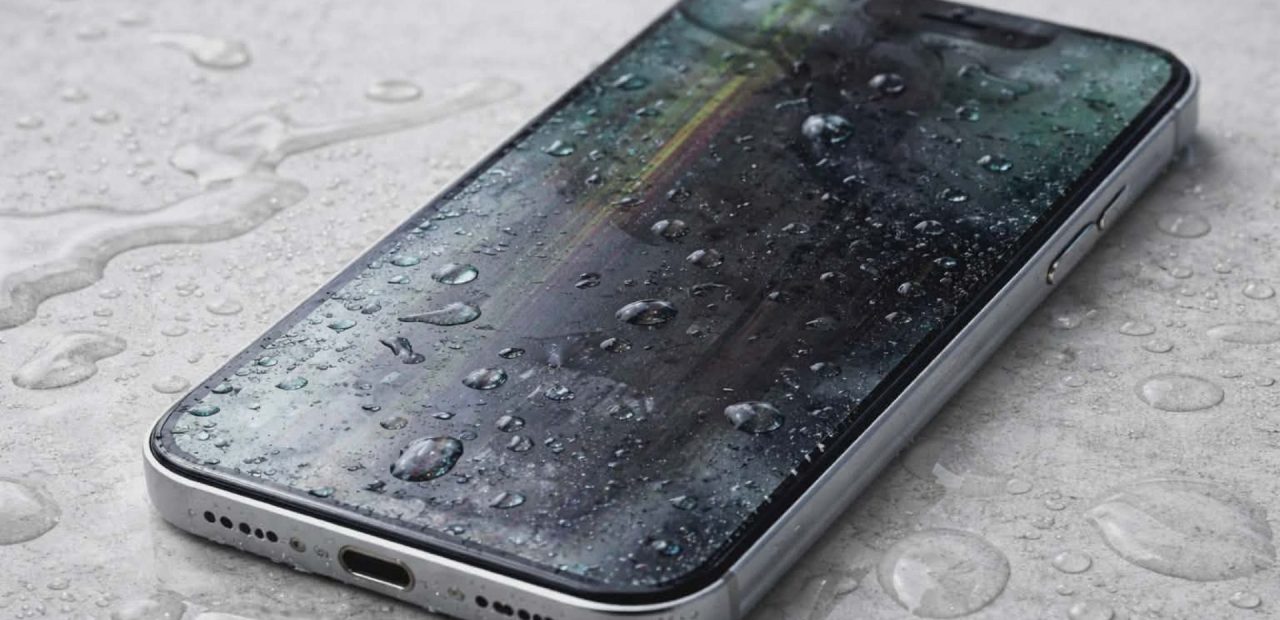
You reach for your phone and suddenly the screen flickers. Maybe the speaker sounds fuzzy.
Maybe it will not charge. If you are thinking, “I dropped my iPhone in water… is it ruined?” you are not alone.
Even though newer iPhone models like the iPhone 14 and iPhone 15 are water-resistant, they are not waterproof phones. Water resistance can wear down over time. A quick splash or full submersion in a sink, pool, or even a pocket soaked with sweat can lead to serious damage if ignored.
Let’s walk through how to tell if your iPhone has water damage, what the warning signs look like, and what you can do immediately to save your device.
Understanding iPhone Water Damage
When an iPhone comes into contact with water or a liquid containing minerals, soap, or chemicals, the real danger is not just getting wet. The issue is what happens inside.
Liquid containing water can seep into tiny openings like the charging port, speaker grills, SIM slot, or button gaps. Once water inside reaches the logic board, it can cause corrosion, short circuits, and battery failure.
Apple Inc. builds iPhones with water resistance ratings. For example, some iPhone 15 models are rated to survive several feet of water for a limited time. But that protection is not permanent waterproofing. Normal wear, small cracks, or previous repair work can compromise the seal.
That means your phone may still suffer iPhone water damage even if it was never fully submerged.
Signs of Water Damage on an iPhone
If your device was exposed to water or exposed to liquid, watch closely for these signs of water damage.
Charging Problems
If your iPhone will not charge or shows a warning about liquid in the lightning port, that is a red flag. You may see a message saying the device cannot charge until it is completely dry.
Do not ignore this. Trying to charge while the port is wet can worsen the damage and affect the battery.
Audio or Speaker Issues
Water exposure often causes:
- Muffled or fuzzy speakers
- Distorted microphone sound
- Random volume changes
If your phone sounds different after contact with water, liquid damage is likely.
Display or Touchscreen Glitches
Watch for:
- Flickering screen
- Dark spots
- Lines across the display
- Touch not responding
Discoloration under the screen can also indicate moisture trapped inside.
Overheating or Random Shutdowns
After exposure to water, internal components may short-circuit. Your device might:
- Get unusually warm
- Shut off randomly
- Fail to power back on
These symptoms mean the internal hardware could be affected.
How to Check the Liquid Contact Indicator (LCI)
Every modern iPhone has a built-in liquid contact indicator, often called an LCI. The Liquid Contact Indicator helps detect whether your phone was exposed to liquid.
Where to Find It
For most models, including iPhone 14 and iPhone 15:
- Remove the SIM card tray using a SIM eject tool.
- Look inside the SIM slot with a flashlight.
- Inspect the small dot inside.
The LCI is normally white or silver. If your phone comes into contact with water, the indicator’s color will change and turn fully red. That red dot is a clear sign of liquid contact. If it remains white or silver, that usually means the phone has not detected liquid contact in that area.
The SIM tray or SIM card area is one of the easiest places for technicians to inspect. However, even if the LCI is not red, moisture may still exist elsewhere inside the mobile device.
What About Apple Warranty and AppleCare+?
This part surprises many people. Apple’s standard one-year limited warranty does not cover liquid damage. If the Liquid contact indicator shows red, Apple may classify the problem as accidental damage.
AppleCare+ can provide coverage for accidental damage, but there is usually a service fee. You also still have rights under consumer law, depending on your situation. If you are unsure, it is worth getting a professional evaluation first before assuming you need a full replacement.
What To Do Immediately If Your iPhone Gets Wet
If you just thought, “I dropped my iPhone,” take a breath and act quickly. The best way to minimize damage is in the first few hours.
Step 1: Power It Off
Turn the phone off immediately. If it is already off, do not try to activate it. Power running through wet circuits increases the risk of corrosion.
Step 2: Remove Accessories
Take off the case. Remove the SIM card tray. Disconnect it if it is connected to a charger. Do not press unnecessary buttons.
Step 3: Dry the Exterior
Use a soft cloth to dry the outside. Gently tap the phone with the port facing downward to help any water drain out.
Avoid using heat guns or hair dryers. Excess heat can damage internal components.
Step 4: Skip the Rice Myth
Rice is not the magic solution people think it is. Instead, place your iPhone in a dry area with airflow. Silica gel packets are better than rice if you have them.
Let it sit at least 24 hours before attempting to turn it back on.
Hidden Damage Can Appear Later
Here is the tricky part. Your iPhone may seem fine at first.
Days or weeks later, corrosion can develop on the logic board. The battery can swell. Charging can become inconsistent. Condensation from humidity may worsen existing moisture.
This delayed reaction is why iPhone water damage often requires inspection even if the device appears to recover.
When to Seek Professional Help in Fort Worth
If you are experiencing issues after exposure to water, do not wait. The longer water damage sits, the harder recovery becomes.
A trained technician can:
- Inspect internal components
- Detect signs of corrosion
- Determine if a simple repair or part replacement is possible
- Help save your device before it fully fails
If you need trusted, local help, Fort Worth iPhone Repairs offers professional iPhone repair services in Fort Worth. Their team can safely inspect your phone and give you honest feedback about your options.
You can also review their iPhone repair FAQs to understand common problems and solutions before stopping in.
Can Water Damage Be Fixed?
Yes, sometimes.
Success depends on:
- How long the iPhone was exposed to water
- Whether it was water or a liquid containing chemicals
- How quickly it was powered off
- The specific iPhone model
Minor exposure may only require cleaning and drying of internal parts. Severe submersion may require component-level repair or replacement.
The key is speed. Acting quickly can prolong the life of your phone and minimize permanent damage.
How to Prevent Future Water Damage
While no phone is invincible, you can lower the risk:
- Avoid using your iPhone near pools, sinks, or showers
- Be cautious during heavy rain
- Replace cracked screens promptly
- Do not assume water resistance lasts forever
Even a water-resistant device can fail if it has been dropped or previously repaired with third-party parts that compromise the seal.
A little caution goes a long way in protecting your mobile investment.
Final Thoughts
Water and electronics never mix well. If your iPhone was exposed to water, do not assume it is safe just because it still turns on. Check the Liquid contact indicator, look for performance changes, and avoid charging it until you are sure it is completely dry.
Acting fast can truly save your device. If you are unsure what to do next, contact our Fort Worth repair team. A quick inspection today could prevent costly replacement tomorrow.